
Sony Ericsson PC Suite (free for use with Sony Ericsson devices)
Sony Ericsson PC Suite is a compact yet efficient utility program. Installing the Sony Ericsson PC Suite on your personal computer or laptop will allow you to connect your Sony Ericsson GSM phone to it.
Useful features
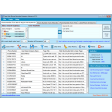
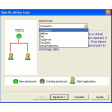
The Sony Ericsson PC Suite is an official download from Sony for Sony and Sony Ericsson mobile devices. It allows you to connect your phone to your PC via either a USB, Bluetooth, or infrared link. Once fully connected the software suite will allow you to move files across to your PC or from your hard drive to the phone's storage. Automatic transfer is included, allowing you to synchronize, backup, or restore the contents of your phone from a saved version. The Sony suite offers some editing functionality. You can delete or modify certain key files (such as your calendar or .jpeg photographs) from your PC with it. It can also perform a repair installation of your phone's operating system and it can allow you to access the internet without a LAN or WLAN connection, through using your phone as a tethered connector.
Do I need it?
If you own a Sony Ericsson mobile device, you should download the Sony Ericsson PC Suite. As well as offering the drivers needed to connect your phone to your PC or laptop, it offers a useful range of secure backup, editing, and maintenance functions you won't have access to otherwise.






























User reviews about Sony Ericsson PC Suite
by ZUUL THE MONSTER
When someone performs a factory reset (hard reset) to a Sony Ericsson Elm mobile phone (feature phone without OS platform) via Sony Ericsson PC Suite by choosing the option "repair phone" all data stored in the internal memory (present and deleted) are being overwritten am I right?? More
by ZUUL THE MONSTER
When someone performs a factory reset (hard reset) to a Sony Ericsson Elm mobile phone (feature phone without OS platform) via Sony Ericsson PC Suite by choosing the option "repair phone" all data stored in the internal memory (present and deleted) are being overwritten am I right? More
by Leila Almasi
This Sony Ericsson PC Suite is the best software that Sony has ever produced. This has so many functions and features that just so useful! But, what I really love the most is its ability to perform a repair installation on the user's phone operating system. It even allows its users to access the internet without LAN or WLAN connection! More
by Amit Kummar
I just can't get over how efficient this Sony Ericsson PC Suite is! I remember wanting to change my Sony Ericsson mobile phone to iPhone because they have iTunes suite but now that I discovered this and I find this software more easier to use than iTunes, I won't change my phone now! More
by Janine Burke
I just tried using this Sony Ericsson PC Suite today and I was surprised how my Sony Ericsson GSM phone easily connects with this software. The program works very without even a single lags, bugs and glitches. I highly recommend this software to my fellow Sony Ericsson mobile users. You must download this software for your phone! More
by Mario DaSilva
I just love the user interface of Sony Ericsson PC Suite! It's just so easy to learn and use. I think I only spent half an hour to fully know the functions and features that this bundle offers. I really like the minimalist design of its interface! Its just so pleasing to the eyes! More